Formlabs is a Boston company that builds professional stereolithography and selective laser sintering printers. The brand is not aimed at casual hobbyists. Its machines are used by dental labs, engineering teams, jewelers, and small factories that need repeatable parts. The current lineup starts with the Form 4 and scales up to the Form 4L, Form 4B, and Fuse 1+ 30W. If you are still comparing desktop resin machines, our best resin 3D printers guide covers cheaper options. Formlabs wins on validated materials and service, not on entry price. A Form 4 can print at up to 100 mm/h with a 200 x 125 x 210 mm build volume. That speed and size matter when every hour of machine time has a cost.
Specs only tell part of the story, so we compared build volume, layer resolution, print speed, material options, and post-processing needs. We cross-checked material behavior with the Simplify3D filament guide and FDM context from Prusa Research. For resin and SLS, the profile matters as much as the hardware. A 200 x 125 x 210 mm build volume covers most dental models and engineering prototypes. A 25 micron layer gives smooth surfaces, while a 100 micron layer prints faster and shows more stair-stepping. If you need a general primer on materials, see our 3D printing materials guide. The Form 4 and Form 4L both use Low Force Display and print at up to 100 mm/h. The Fuse 1+ 30W uses a 30 watt laser and 100 micron layers for nylon parts.
Cost is the hard part. Formlabs printers use proprietary resins for SLA and proprietary powders for SLS. You also need a wash and cure station for resin, or a sifter and blast cabinet for powder. Those extras are not optional if you want finished parts. A dental lab might spend more on resin and validation than on the printer over two years. An engineering shop might save money by reducing failed prints and outsourcing. If you are new to the workflow, read our how to start 3D printing guide before buying. The Form 3+ is cheaper, but it is slower and has a smaller 145 x 145 x 185 mm build volume. The Form 4 is the better long-term machine for most buyers.
This comparison is for people who need production, not a toy. If you run a dental clinic, a jewelry studio, or a product design firm, the machine must fit the material and the part size. If you print miniatures or toys, a cheaper MSLA printer will do the job for less. Formlabs makes sense when repeatability, validated materials, and service contracts matter. We cover five machines: Form 4, Form 4L, Form 4B, Form 3+, and Fuse 1+ 30W. Each section lists real pros and cons. We do not hide the messy parts, like resin disposal or powder sifting. The goal is to help you pick the right Formlabs printer on the first try.
How Do the Top Options Compare?
| Printer | Best For | Technology | Build Volume | Layer Resolution | Print Speed | Check Price |
|---|---|---|---|---|---|---|
| Formlabs Form 4 | Best overall professional resin printer | SLA (Low Force Display) | 200 x 125 x 210 mm | 25 to 300 microns | Up to 100 mm/h | Check price |
| Formlabs Form 4L | Best for large resin parts | SLA (Low Force Display) | 353 x 196 x 350 mm | 25 to 300 microns | Up to 100 mm/h | Check price |
| Formlabs Form 4B | Best for dental and medical resin printing | SLA (Low Force Display) | 200 x 125 x 210 mm | 25 to 300 microns | Up to 100 mm/h | Check price |
| Formlabs Form 3+ | Best entry point into the Formlabs resin system | SLA | 145 x 145 x 185 mm | 25 to 300 microns | Slower than Form 4 | Check price |
| Formlabs Fuse 1+ 30W | Best SLS nylon production without resin cleanup | SLS | 165 x 165 x 300 mm | 100 microns | Layer-dependent | Check price |
Build volume and layer resolution are manufacturer specifications. Print speed for resin printers depends on layer thickness, part geometry, and material. Check current specs before buying. Formlabs resins and SLS powders are sold separately. Amazon search links may not represent official Formlabs pricing.
1. Formlabs Form 4 , Best overall professional resin printer
The Form 4 is the machine most Formlabs buyers should start with. It uses Low Force Display and prints at up to 100 mm/h while holding 25 to 300 micron layer resolution. Build volume is 200 x 125 x 210 mm, which fits dental arches, engineering prototypes, small molds, and production jigs. The light engine and resin tank are built for daily use, not weekend tinkering. If raw speed matters, our fastest 3D printers guide shows what FDM can do, but resin still wins for tiny features and smooth surfaces. Bambu Lab’s current lineup is a good reminder that FDM has become fast, yet it cannot match SLA detail on small parts.
Material choice is the real strength. Formlabs sells engineering resins, dental resins, biocompatible resins, and casting resins. You can print a tough functional part in the morning and a clear optical part in the afternoon if you swap tanks and trays. The workflow needs Form Wash and Form Cure, which add cost and bench space. Skip those and parts will be sticky, undercured, or dimensionally wrong. Resin also needs gloves, ventilation, and proper disposal. This is not a plug-and-play hobby machine.
The Form 4 makes sense when you sell parts, not when you print toys. A dental lab can turn around night guards and models. An engineering shop can prototype gaskets, housings, and fixtures. A jewelry studio can print casting patterns. If you only print a few times a month, a cheaper MSLA printer may be enough. If you print every day and need repeatable results, the Form 4 pays for itself through less scrap. Check the Formlabs Form 4 on Amazon.
Key strengths:
- ✅ Prints at up to 100 mm/h with 25 to 300 micron layers, so it handles both draft and fine detail jobs.
- ✅ Build volume of 200 x 125 x 210 mm fits most dental and engineering parts without splitting the model.
- ✅ Wide material library includes biocompatible, tough, flexible, and castable resins.
- ✅ Closed resin system and validated profiles reduce failed prints compared to open-source MSLA machines.
- ✅ Form Wash and Form Cure automate cleaning and post-curing for consistent mechanical properties.
- ❌ Requires Formlabs resins and accessories, so you cannot use cheap third-party resin without risk.
- ❌ Post-processing hardware and consumables add significant bench space and ongoing cost.
- ❌ Resin handling demands gloves, ventilation, and waste disposal that hobby printers often ignore.
Who it’s for: This is for dental labs, engineering teams, and small manufacturers that need daily resin production with validated materials.
2. Formlabs Form 4L , Best for large resin parts
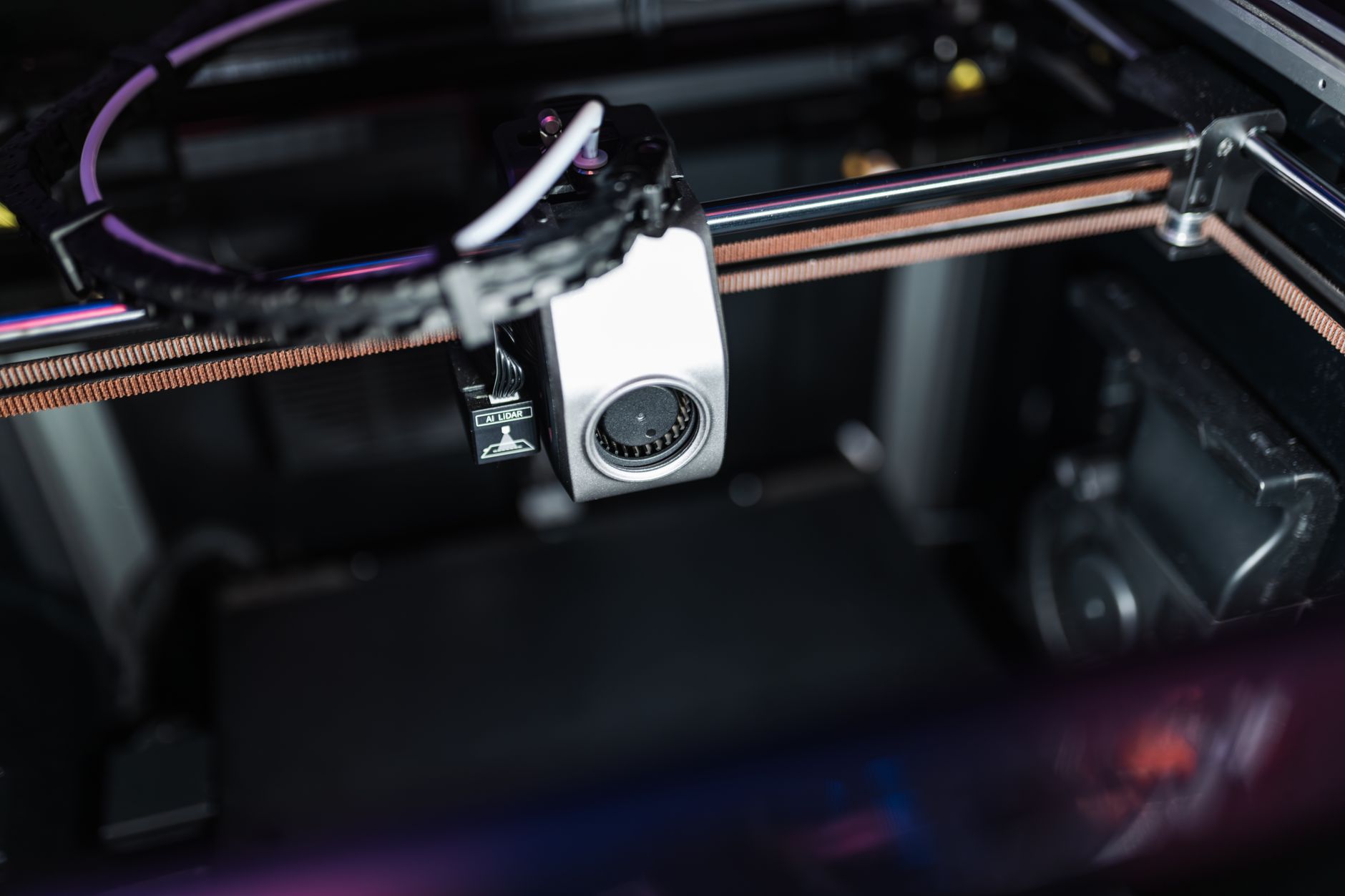
The Form 4L takes the Form 4 workflow and stretches the build volume to 353 x 196 x 350 mm. That is large enough for full-size dental models, large molds, manifold prototypes, and multi-part batches in one run. Layer resolution stays at 25 to 300 microns, and the LFD engine prints at up to 100 mm/h. If you regularly split models or glue sections, the 4L removes that step. Our best large 3D printers guide covers other big-format options, but most of them are FDM and cannot match resin detail.
The tradeoff is floor space and resin volume. A large tank holds more resin, and a failed print wastes more material. You also need a bigger wash and cure setup. Formlabs sells the Form 4L Wash and Cure, which are sized for the larger build platform. The machine is heavy, so plan a stable bench or cart. The light engine is powerful, but large cross-sections still take time. Print orientation and support strategy matter more here than on the Form 4.
For production, the Form 4L can print multiple small parts around one large part. That flexibility helps dental labs, service bureaus, and product design teams. The cost per part drops when you fill the plate, but the upfront investment is higher. If your parts fit inside 200 x 125 x 210 mm, buy the Form 4 and put the savings into resin. If they do not, the Form 4L is the cleaner solution. Check the Formlabs Form 4L on Amazon.
Key strengths:
- ✅ Large 353 x 196 x 350 mm build volume handles full-size dental models and big prototypes.
- ✅ Same 25 to 300 micron layer resolution as the Form 4, so detail does not suffer for size.
- ✅ Prints at up to 100 mm/h, which keeps large jobs practical.
- ✅ Can batch many small parts around one large part to improve throughput.
- ✅ Uses the same resin library and validated profiles as the Form 4.
- ❌ Takes up much more bench space and needs the larger Form 4L Wash and Cure units.
- ❌ A failed large print wastes more resin, which raises the cost of mistakes.
- ❌ Higher upfront cost than the Form 4 without improving detail on small parts.
Who it’s for: This is for labs and service bureaus that need large resin parts or high-volume batch production in one build.
3. Formlabs Form 4B , Best for dental and medical resin printing
The Form 4B is built for dental and medical workflows. It has the same 200 x 125 x 210 mm build volume, 25 to 300 micron layer resolution, and up to 100 mm/h print speed as the Form 4. The difference is validation. Formlabs certifies specific biocompatible resins for the 4B, including materials for surgical guides, splints, dentures, and models. That paperwork matters if you run a clinic or lab. You cannot simply use any resin and claim medical compatibility.
The 4B also supports the Formlabs dental workflow: scanning, design software, printing, wash, cure, and finishing. The company provides validated settings for each resin, so the guesswork is low. A dental lab can produce night guards, try-ins, and models with repeatable results. The machine is not for general engineering unless you specifically need biocompatible materials. You pay for the validation and support, not for a different light engine.
If you are a dentist or orthodontist, the 4B can bring production in-house and reduce turnaround time. If you are a hobbyist, skip it. The resin costs and regulatory requirements are real. The Form 4 does the same prints with non-medical materials for less. The 4B only makes sense when patient contact or medical documentation is part of the job.
Key strengths:
- ✅ Validated for biocompatible dental and medical resins, which reduces regulatory risk.
- ✅ Same fast LFD engine as the Form 4 with 200 x 125 x 210 mm build volume.
- ✅ 25 to 300 micron layers support detailed dental models and guides.
- ✅ Formlabs provides validated print settings and workflows for dental resins.
- ✅ Can bring night guards, splints, and models in-house for faster turnaround.
- ❌ Costs more than the Form 4 for the same hardware, with the premium going to validation.
- ❌ Biocompatible resins are expensive and have strict handling and storage rules.
- ❌ Not useful for general engineering unless you need medical-grade materials.
Who it’s for: This is for dental labs, orthodontists, and medical device teams that need validated biocompatible resin printing.
4. Formlabs Form 3+ , Best entry point into the Formlabs resin system
The Form 3+ is the older generation, but it remains a solid entry point if you find one in good condition. Build volume is 145 x 145 x 185 mm, smaller than the Form 4. Layer resolution is still 25 to 300 microns, so detail is close. Print speed is slower than the Form 4, and the Low Force Display on the newer machines is a real upgrade. For small dental models, jewelry patterns, and prototypes, the Form 3+ can still do the job.
The main reason to choose a Form 3+ is price. It uses the same Formlabs resin library, and many materials work across both generations. You also get the same wash and cure workflow. The downside is future support. Formlabs has moved to the Form 4 line, so replacement parts and new material profiles may slow down over time. If you need the latest speed and longest service life, buy a Form 4. If you need to save money and your parts are small, a used Form 3+ can be a smart buy.
Check the light engine hours and tank condition before buying used. Resin printers wear out tanks, and a scratched or cloudy tank ruins prints. The Form 3+ also uses a different build platform and tank than the Form 4, so accessories are not shared. That matters if you already own a Form 3+ and want to add a second machine. Matching generations keeps your spare parts simple.
Key strengths:
- ✅ Lower entry cost than the Form 4 while keeping 25 to 300 micron layer resolution.
- ✅ 145 x 145 x 185 mm build volume is enough for dental models, jewelry, and small prototypes.
- ✅ Uses the Formlabs resin library and the same wash and cure workflow.
- ✅ Good option for a second machine or a backup printer in a small lab.
- ✅ Mature platform with plenty of used units and community knowledge.
- ❌ Slower than the Form 4 and missing the newer Low Force Display engine.
- ❌ Smaller build volume than the Form 4, so large parts must be split.
- ❌ Long-term parts and material support may decline as Formlabs focuses on Form 4.
Who it’s for: This is for budget-conscious labs, jewelers, and makers who need Formlabs material compatibility without the Form 4 price.
5. Formlabs Fuse 1+ 30W , Best SLS nylon production without resin cleanup
The Fuse 1+ 30W is a selective laser sintering printer, not a resin machine. It uses nylon powder and a 30 watt laser to fuse parts layer by layer. Build volume is 165 x 165 x 300 mm, and layer resolution is typically 100 microns. That is coarser than SLA, but SLS parts are strong, functional, and need no supports. You can nest parts in the powder bed, which means high throughput for small brackets, clips, and enclosures. For business ideas, see our 3D printing business ideas guide.
The workflow is different from resin. You need a powder sifter, a blast cabinet, and a powder mixer. Formlabs sells the Fuse Sift and Fuse Blast to handle reclaim and cleaning. Nylon powder is expensive, but unfused powder can be reused. The machine is aimed at production. It runs nylon 12, nylon 11, and other engineering powders. Parts come out matte, tough, and ready for snap fits. No supports means complex geometry is possible without marks.
SLS is not for fine detail. A 100 micron layer shows more stair-stepping than a 25 micron resin print. If you need smooth surfaces or tiny features, use a Form 4. If you need durable nylon parts that survive drops, heat, and chemicals, the Fuse 1+ is the better tool. The upfront cost is high, and powder management is messy. For a small factory, the ability to print production parts without resin cleanup can justify the price. Check the Formlabs Fuse 1+ 30W on Amazon.
Key strengths:
- ✅ Prints strong nylon parts with no support structures, so complex geometry is easy.
- ✅ 165 x 165 x 300 mm build volume and 100 micron layers suit functional production parts.
- ✅ Powder bed nesting increases throughput for small parts.
- ✅ Nylon 12 and nylon 11 materials offer toughness, chemical resistance, and heat resistance.
- ✅ Fuse Sift and Fuse Blast automate powder recovery and part cleaning.
- ❌ 100 micron layers are visibly coarser than resin prints at 25 to 50 microns.
- ❌ Powder management is messy and requires sifting, mixing, and blast cleaning.
- ❌ High machine cost and expensive nylon powder put it out of reach for hobbyists.
Who it’s for: This is for small factories, engineering shops, and service bureaus that need durable nylon parts in production volumes.
Frequently Asked Questions
Is Formlabs worth the price compared to cheap resin printers?
Formlabs machines cost more because they include validated materials, closed workflows, and service support. A cheap MSLA printer can match detail on some models, but it will not match repeatability, material range, or dental validation. If you print daily for business, Formlabs is worth it. If you print occasionally, it is not.
What materials can Formlabs printers use?
Formlabs resin printers use proprietary resins for engineering, dental, medical, jewelry, and casting. The Fuse 1+ uses nylon powders such as nylon 12 and nylon 11. You should not use third-party resins without checking compatibility because print profiles and biocompatibility depend on the exact material.
How fast is the Formlabs Form 4?
The Form 4 prints at up to 100 mm/h, according to Formlabs. Actual speed depends on layer thickness, part geometry, and resin type. A 25 micron print will be much slower than a 100 micron draft print. The Form 4L uses the same LFD engine and also prints at up to 100 mm/h.
Do I need a wash and cure station for Formlabs resin printers?
Yes. Every Formlabs SLA printer needs a wash and cure step. Formlabs sells Form Wash and Form Cure units that match the build platform size. Skipping them leaves uncured resin on the surface and gives poor mechanical properties. The Form 4L needs the larger Form 4L Wash and Cure.
What is the difference between Form 4 and Form 4B?
The Form 4B has the same hardware as the Form 4, including the 200 x 125 x 210 mm build volume and up to 100 mm/h speed. The difference is validation for biocompatible dental and medical resins. The 4B costs more because Formlabs certifies those workflows. If you do not need patient-contact materials, the Form 4 is the better value.
Can the Fuse 1+ print with the same materials as a Form 4?
No. The Fuse 1+ is an SLS printer that uses nylon powder. The Form 4 is an SLA printer that uses liquid resin. SLS parts are strong and need no supports, but they have a coarser 100 micron layer finish. Resin prints are smoother and can be biocompatible, but they need supports and post-curing.
What Should You Remember?
- Form 4 is the default: It offers 200 x 125 x 210 mm build volume, 25 to 300 micron layers, and up to 100 mm/h speed for most professional resin jobs.
- Form 4L solves size: Choose it when your parts exceed 200 mm in any dimension or when you need to batch large jobs in one print.
- Form 4B is for dental and medical: The hardware matches the Form 4, but the price includes validation for biocompatible resins.
- Form 3+ is the budget entry: It is slower and smaller, yet it still uses the Formlabs resin system if you find a clean used unit.
- Fuse 1+ is for nylon production: SLS gives strong, support-free parts at 100 micron layers with a 165 x 165 x 300 mm build volume.
- Post-processing is mandatory: Budget for wash, cure, sift, and blast equipment. The printer alone will not produce finished parts.
- Resin and powder costs add up: Formlabs materials are proprietary and expensive, so calculate cost per part before buying.
This article is for general information only. Always follow your printer manufacturer’s guidelines and material safety data sheets (MSDS) for safe operation.