3D Printer Bed Adhesion Guide: How to Fix Prints Not Sticking

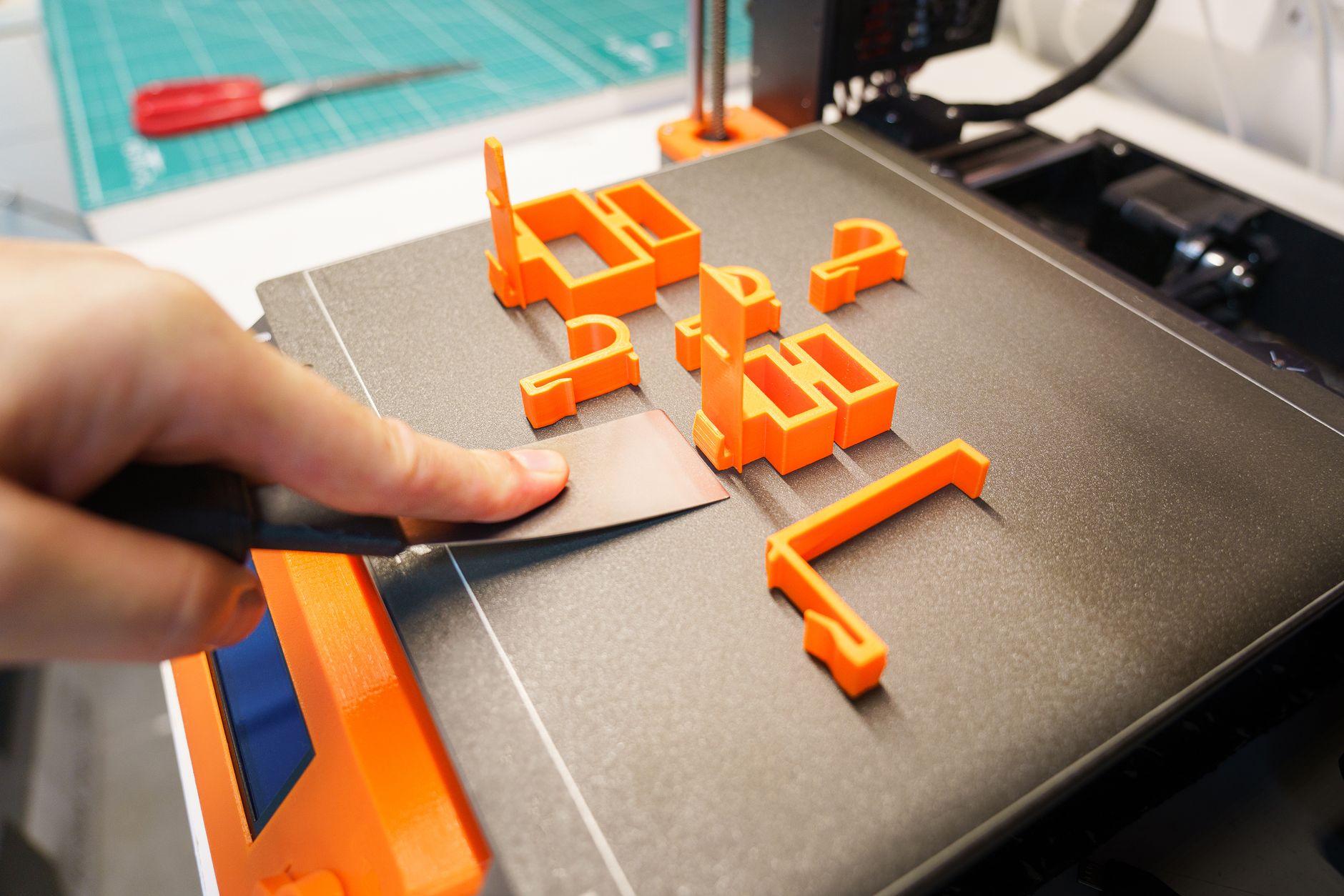
TL;DR: Prints that won’t stick are almost always caused by one of four things: a dirty bed, an incorrect Z-offset (nozzle too far from the bed), wrong bed temperature, or incompatible surface/adhesive. Fix them in this order: clean the bed with isopropyl alcohol (or dish soap), re-level and set the Z-offset so the first layer is squished but not scraped, raise the bed temp 5°C, and if it still won’t stick, add glue stick, hairspray, or a PEI sheet. Inexpensive fixes resolve 90% of adhesion failures. ...

August 8, 2026 · 9 min · Jarrod Gravison

3D Printing Post-Processing Guide: Sanding, Priming, Painting, and Smoothing for Professional Finishes

TL;DR: The fastest route to a professional-looking FDM print is sanding (120 → 220 → 400 → 600 grit), one or two coats of filler primer, a light re-sand to 600–800, then 2–3 thin coats of paint. If you want zero layer lines, use epoxy or UV resin coating for the smoothest finish, or vapor smoothing for ABS/ASA. Resin prints have fewer layer lines but need washing + curing + sanding instead. Budget for sanding time — it’s 60–70% of the whole post-processing job. ...

August 8, 2026 · 11 min · Jarrod Gravison

Best 3D Printers for Kids and Education in 2026: Safe, Easy Classroom Picks

TL;DR: The best 3D printers for kids and classrooms in 2026 are enclosed, slow(ish), and easy — safety and low maintenance beat speed. Top picks: Bambu Lab A1 mini with enclosure (great print quality and simple app; best value), Prusa MK4 / Mini (rock-solid reliability, education favorite), QIDI / Creality enclosed models (budget classroom options), and XYZprinting da Vinci (purpose-built kid/education with parental controls). Look for an enclosed build area, quiet operation, simple leveling/first-use, a large library of tinkercad-compatible models, and modest safety features (no open hot ends, autocalibration). For younger kids, add close adult supervision for the first weeks regardless of printer. ...

August 8, 2026 · 9 min · Jarrod Gravison

Best 3D Printing Slicer Software 2026: Cura vs PrusaSlicer vs Bambu Studio vs Orca

TL;DR: In 2026 the top four slicers are all free and capable, so choose by ecosystem: Cura is the most universal and best documented (Ultimaker’s flagship, huge tutorial base), PrusaSlicer is the cleanest all-rounder with excellent defaults and built-in profiles, Bambu Studio is the fastest and best-integrated for Bambu owners (with a network-based workflow), and OrcaSlicer is a Bambu fork that adds calibration tools and supports nearly every machine. Pick Orca if you’re on a community or Creality printer; pick Bambu Studio if you own a Bambu; pick PrusaSlicer for clean out-of-the-box quality; pick Cura for the largest learning library. ...

August 8, 2026 · 9 min · Jarrod Gravison

Where to Find Free 3D Models: Top Sites for STL Files in 2026

TL;DR: The four best free 3D model sites in 2026 are Printables (best overall community + quality filter), Thingiverse (largest catalog, but bloated with clutter), MakerWorld (fast-growing, clean, Bambu-optimized), and Thangs (a search engine that indexes many sites at once — great for finding anything). For curated, tested models, Printables and MakerWorld win on quality and tag organization. Always check the license before spinning up expensive filament. Quick Answer: Where Should You Download STL Files? Not all model sites are created equal. Your choice depends on whether you want the biggest catalog, the best community curation, or the easiest searching: ...

August 8, 2026 · 8 min · Jarrod Gravison

Best 3D Scanners 2026: Entry-Level to Pro Compared

TL;DR: For 3D-printing workflows in 2026, the Creality CR-Scan Raptor is the best all-rounder (great accuracy, wide range, sub-$500), the Revopoint POP 3 is the best value handheld, and the Einscan H2 is the pro handheld standard. If you only scan objects you already own, a cheap turntable + camera photogrammetry setup beats any budget scanner under ~$300. Match your scanner’s working range to your object size — that’s the most overlooked buying mistake. ...

August 6, 2026 · 9 min · Jarrod Gravison

3D Printer Filament Storage Guide: How to Keep Filament Dry in 2026

TL;DR: Filament is hygroscopic — it absorbs moisture from the air, and wet filament ruins print quality in ways that look like tuning problems. The fix: keep spools in sealed, desiccant-filled containers (dry boxes) when not in use, and give water-sensitive filaments like nylon and TPU a heating cycle in a filament dryer before printing. A good storage setup costs $30-120 and fixes more print issues than any other single upgrade. ...

August 6, 2026 · 9 min · Jarrod Gravison

Best 3D Printer Under $500 in 2026: 7 Tested & Compared

TL;DR: The best 3D printer under $500 in 2026 is the Bambu Lab A1 (~$399) — it delivers flagship-level speed, reliability, and print quality at a mid-range price, with a 256×256×256mm build volume. If you want maximum value under $300, the Elegoo Neptune 4 Pro and Creality Ender-3 V3 SE are the standouts. For enclosed, multi-material capability near the cap, the Bambu Lab A1 with AMS Lite is worth the stretch. — ...

August 6, 2026 · 9 min · Jarrod Gravison

Best 3D Printer for Miniatures & Tabletop Gaming in 2026

TL;DR: For detailed miniature painting and tabletop gaming in 2026, resin printers win on detail every time — the Elegoo Saturn 4 Ultra is our overall pick, with the Anycubic Photon Mono M5s as the best value. Choose the Phrozen Sonic Mighty 8K if you want the finest detail money can buy. Sticking with FDM? The Bambu Lab A1 Mini handles terrain and larger pieces well, but it can’t match resin for 28mm character minis. ...

August 6, 2026 · 10 min · Jarrod Gravison

3D Printing Materials Guide 2026: PLA to Carbon Fiber Complete

TL;DR: Every 3D printing material trades ease, strength, heat resistance, and cost. For 90% of hobbyists: use PLA for easy visual prints, PETG for functional/heat-resistant, and nylon/PC/CF when you need engineering performance (with the right printer). This is the complete reference table and guide. Quick Answer: Which Material Should You Use? Quick material picks by need: Need Material Easiest first prints, visual models PLA Functional parts, strength + heat PETG High heat / automotive ABS / ASA (enclosure) Flexibles, gaskets, phone cases TPU Gears, wear parts, engineering Nylon (PA) Extreme heat + strength Polycarbonate (PC) Stiff, light, high-performance Carbon-fiber composites Here’s the full breakdown. ...

August 5, 2026 · 8 min · Jarrod Gravison

Fastest 3D Printers 2026: Speed Benchmarks Compared

TL;DR: The fastest 3D printers of 2026 are Bambu Lab X1C/P1S/A1 at the head of the commercial pack (real-world ~150–300mm/s with quality intact), with Creality K1/K2 close behind. Voron builds hit the highest theoretical speeds for enthusiasts. Prusa prioritizes reliability over raw speed. Advertised speeds (up to 500mm/s) are marketing — real-world effective speed is much lower. Quick Answer: Which Printer Is Fastest? Speed is measured two ways: advertised peak (marketing) and effective real-world (what you actually get with quality). Here’s the honest picture: ...

August 5, 2026 · 9 min · Jarrod Gravison

Best Enclosed 3D Printers 2026: 6 for ABS, ASA & Nylon

TL;DR: The best enclosed 3D printer of 2026 is the Bambu Lab X1 Carbon — a fast, fully-enclosed, carbon-filtered machine that makes ABS/ASA/nylon printing reliable. For a budget, the Flashforge Adventurer 5M Pro and Qidi X-Max 3 offer enclosures much cheaper, and the Qidi X-CF Pro is a strong multi-material engineering option. Quick Answer: Why Get an Enclosed Printer? An enclosure (sealed chamber, often heated) is essential for printing ABS, ASA, and nylon because these materials warp when the chamber is drafty or cool. Enclosures provide: ...

August 5, 2026 · 9 min · Jarrod Gravison

3D Printing vs Injection Molding: Full Cost & Production Analysis

TL;DR: 3D printing wins for one-offs, prototypes, customization, and production runs up to roughly 50–1,000 units, depending on part size and complexity. Injection molding wins for mass production — the break-even point is usually in the hundreds-to-thousands of units, after which molding’s near-zero per-part cost dominates. Printing is a flexible low-volume tool; molding is a capital investment for scale. Quick Answer: When Does Printing Beat Molding? The decisive factors are volume, unit cost, and tooling investment: ...

August 5, 2026 · 9 min · Jarrod Gravison

Best 3D Printer Upgrades 2026: 8 Worth the Money

TL;DR: The upgrades that improve prints the most for the money are PEI build plates (adhesion), auto bed leveling (consistency), all-metal hotends (more materials, fewer clogs), hardened nozzles (abrasive filaments), and an enclosure (ABS/ASA/consistent temps). Skip gimmicks; prioritize anything that improves reliability and first-layer success. Quick Answer: Which Upgrades Actually Matter? Upgrade Cost Impact Ease Worth It? PEI build plate $15–30 High Easy ✅ Best value Auto bed leveling (BLTouch) $25–50 High Moderate ✅ If your printer lacks it All-metal hotend $25–80 High Moderate ✅ For materials Hardened steel nozzle $10–20 Medium-High Easy ✅ With abrasive filament Enclosure $50–150 Medium-High Varies ✅ For ABS/ASA/consistent Direct-drive extruder $50–100 Medium Moderate ⚠️ For flexibles Silent stepper drivers $30–80 Medium Hard ⚠️ For noise Bed-leveling firmware (Klipper) $0–50 (HW) High Hard ⚠️ Enthusiasts The golden rule: upgrade for reliability and first-layer success first, then speed/quality. A printer that just works beats one that’s theoretically faster but flaky. ...

August 5, 2026 · 9 min · Jarrod Gravison

3D Printer Maintenance: The Complete Preventive Care Guide

TL;DR: Preventive 3D printer maintenance takes 20 minutes a month and prevents 80% of print failures. Do these on schedule: clean/level the bed, check belt tension, clean the nozzle, lubricate rails, tighten loose screws, keep firmware updated, and dry/replace worn consumables (nozzles, PTFE tubes, PEI sheets). Quick Answer: What Maintenance Does a 3D Printer Need? A simple schedule keeps most machines printing for years: Frequency Task Every print Clean bed, check first layer, make sure no debris/oozing filament Weekly Wipe Z rods/rails, check for loose screws, empty/clean debris Monthly Check belt tension, clean nozzle + hotend, inspect bed level (re-run auto level), lubricate motion Quarterly Replace/rotate nozzle if brass, replace PTFE tube if signs of wear, deep-clean, check firmware update As needed Replace PEI sheet, replace thermistor/fan, tighten gantry, recalibrate The exact cadence depends on print hours — a busy print farm does weekly deep-cleans; a hobbyist can stretch monthly. Track print hours (most firmware does) for accurate intervals. ...

August 5, 2026 · 9 min · Jarrod Gravison

How to 3D Print Miniatures: Complete Tabletop Guide (2026)

TL;DR: For quality miniatures, print in resin (SLA) — it captures detail filament can’t. Use a 4K/8K/12K resin printer like the Elegoo Saturn 4, a standard gray/8K resin, tune layer height to ~0.03–0.05mm, rely on automatic supports with light manual touch-ups, then wash, cure, and cleanly remove supports. This guide covers the whole workflow. Quick Answer: How Do You Print Good Miniatures? The workflow in 5 steps: Get a resin printer (detail is the whole point) — see best resin printers. Slice with proper settings: 0.03–0.05mm layer height, ~2s layer exposure (tune to your resin), 3–4s bottom exposure. Orient the model and add supports (automatic “light” support type works well). Print, then wash in IPA (or wash station) — carefully remove supports while the part is still soft-ish, then cure under UV. Post-process: sand nubs, prime with a miniature primer, and paint. For D&D/Warhammer-scale (28–32mm), resin beats FDM every time on detail. See resin vs FDM for details. ...

August 5, 2026 · 9 min · Jarrod Gravison

Best 3D Modeling Software 2026: Free & Paid Compared

TL;DR: Learn TinkerCAD first (free, easiest, browser-based) to grasp basics, then pick a real tool: Fusion 360 for engineering/functional parts, Blender for organic/sculpted/models, FreeCAD for free open-source parametric design, or Onshape for cloud + collaboration. All the tools here can go from idea to STL for 3D printing. Quick Answer: Which Modeling Software Should You Use? It depends on what you model: Tool Type Price Best For Difficulty TinkerCAD Parametric (browser) Free Absolute beginners, simple parts ★ Very easy Fusion 360 Parametric CAD Free (hobbyist) / $ Engineering, functional parts ★★★★ Blender Mesh/artistic Free Sculpts, figures, organic models ★★★★★ FreeCAD Parametric CAD Free (open source) Parametric CAD, no cloud ★★★★ Onshape Parametric CAD (cloud) Free plan / $ Collaboration, tablet/laptop ★★★ ZBrush (Core) Sculpting Paid High-detail minis, characters ★★★★★ SolidWorks Parametric CAD Expensive Professional engineering ★★★★★ The 2026 short answer: try Fusion 360 (or free FreeCAD) for functional parts, Blender for anything organic, and TinkerCAD to learn the ropes. You don’t need to master all — one good tool covers most users. ...

August 5, 2026 · 9 min · Jarrod Gravison

13 Profitable 3D Printing Business Ideas for 2026

TL;DR: The most profitable 3D printing niches in 2026 are custom tabletop/board game upgrades, cosplay & props, functional replacement parts, jewelry casting models, resin miniatures, and small-batch print-on-demand products. The key isn’t the printer — it’s finding an audience and a niche with pricing power, not fighting over generic trinkets. Quick Answer: What 3D Printing Business Works in 2026? Avoid the low-margin trap of selling generic toys and keychains. The money is in specific audiences who value customization and function: ...

August 5, 2026 · 9 min · Jarrod Gravison

How to Start 3D Printing: The Complete Beginner Guide (2026)

TL;DR: To start 3D printing: (1) buy an easy modern printer with auto leveling like the Bambu Lab A1 Mini or Elegoo Neptune 4 Pro, (2) assemble it per the manual, (3) load PLA filament, (4) slice a model with a free slicer, (5) run your first print from a known-good preset, then (6) learn calibration. Total budget: $300–500 including printer, filament, and tools. Quick Answer: What Do I Need to Start? A realistic starter shopping list: ...

August 5, 2026 · 9 min · Jarrod Gravison

Best 3D Printer Filament Brands 2026: 6 Tested & Compared

TL;DR: The best filament brands of 2026 by consistency-to-value are Overture (best budget all-rounder), Polymaker (best engineering/quality), Hatchbox (best PLA), eSun (best value across the board), and Prusament (premium, best-in-class quality). Buy in bulk from one trusted brand to keep your settings stable. Quick Answer: Which Filament Brand Is Best? All brands here are “quality” — the differences are in price, consistency, tolerance, and specialty range: Brand Best For Price/Lb Quality Consistency Overture Best budget all-rounder $ Good Very good eSun Best value across materials $ Good Very good Hatchbox Best PLA $$ Great Excellent Polymaker Best engineering materials $$$ Great Excellent Prusament Best overall premium $$$$ Excellent Exceptional Sunlu Cheapest reliable bulk $ Fair-good Good “Quality” here means dimensional accuracy (+/-0.02mm vs +/-0.05mm), clogginess, color fidelity, and moisture handling. For most prints, a good budget brand is indistinguishable from premium — consistency across spools is what matters. ...

August 5, 2026 · 9 min · Jarrod Gravison

PLA vs PETG vs ABS: Which Filament to Use (2026 Guide)

TL;DR: Use PLA for easy, cheap, detailed prints that won’t face heat or stress. Use PETG for functional parts needing strength and heat resistance — it’s the best all-rounder. Use ABS only if you specifically need high heat/durability and have an enclosure, or switch to ASA for outdoor use. Quick Answer: Which Filament Should You Use? It comes down to your use case: Need Choose Why Easy first prints, toys, visual models PLA Cheapest, easiest, cleanest Functional parts, brackets, outdoor-light PETG Strong + heat-resistant, still easy Auto parts, high-heat, durable engineering ABS / ASA Best heat + toughness, needs enclosure The modern consensus: most hobbyists print PLA for visual and PETG for functional. ABS has become the niche pick. Here’s the full breakdown. ...

August 5, 2026 · 9 min · Jarrod Gravison

Best Large 3D Printers 2026: Build Volumes of 300mm and Up

TL;DR: The best large 3D printer of 2026 is the Elegoo Neptune 4 Max (~$449) — a massive 420×420×480mm build volume with modern speed and auto leveling at an aggressive price. For the proven workhorse, the Creality CR-10 Max and Anycubic Kobra Max remain solid, but the Neptune 4 Max offers the most for the money. Quick Answer: What’s the Best Large 3D Printer? “Large” generally means a build volume of 300×300×300mm or bigger — enough for helmets, cosplay armor, large cosplay props, signage, and oversized functional parts. Larger beds have tradeoffs (bigger footprint, slower heating, more rigidity concerns), so the right pick balances size, price, and reliability: ...

August 5, 2026 · 9 min · Jarrod Gravison

Best Resin 3D Printers 2026: SLA/DLP for Miniatures, Dental & Jewelry

TL;DR: The best resin 3D printer of 2026 is the Elegoo Mars 5 Ultra for value and ease, with the Elegoo Saturn 4 Ultra for large miniatures and the Anycubic Photon Mono M5s as the closest alternative. If you print for jewelry or dental work, step up to a high-resolution 4K/8K machine. All require proper safety gear and a wash-and-cure station. Quick Answer: Which Resin Printer Should You Buy? Resin (SLA/DLP) printers are the choice for detailed miniatures, jewelry wax masters, dental models, and smooth-surfaced parts. They trade filament’s easy workflow for significantly better detail. Here are our picks: ...

August 5, 2026 · 9 min · Jarrod Gravison

Best 3D Printer for Beginners in 2026: 6 That Just Work

TL;DR: The best 3D printer for beginners in 2026 is the Bambu Lab A1 Mini — it’s the easiest, most reliable machine you can buy, with auto leveling, Wi-Fi, and a very high first-print success rate out of the box. Prefer open source or a lower price? The Prusa MK4S and Creality Ender-3 V3 SE are strong alternatives. Quick Answer: Which Printer Should a Beginner Buy? Beginner-suitability is about fewer variables and fewer assembly steps, not just price. The machines that “just work” skip the manual leveling, fiddly firmware, and flimsy build quality that cause most first-print failures (and first-disappointments). Here are our picks: ...

August 5, 2026 · 9 min · Jarrod Gravison