Bambu Lab’s H2D is not a simple upgrade to the X1 Carbon. It is a new platform with a dual-nozzle toolhead, a large build volume, and an optional laser module. The H2D also supports the AMS 2 Pro, which adds active drying and four-spool multi-color printing. That combination puts it in direct competition with large-format enclosed printers from Prusa and Ultimaker, but with a lower entry point than many industrial machines. If you are shopping for a 2026 workshop printer, the H2D is one of the most flexible options on the market. Our best 3D printers 2026 guide covers the wider field. This article breaks down the H2D by configuration so you can pick the right one without paying for features you will not use.
The dual nozzle is the core feature. Two independent hotends can print a model and its support material at the same time. That means you can use breakaway support for PLA and a different material for overhangs. It also means two colors in one print without a purge tower eating filament. The AMS 2 Pro takes that further by holding four spools and drying them at up to 65°C. The laser module changes the machine into a hybrid tool for wood, leather, and acrylic. Each option adds cost and complexity. Our best enclosed 3D printers roundup explains why an enclosure matters for ABS and ASA. Prusa’s printer specs show how other enclosed machines compare on chamber temperature and build volume.
We compared the H2D configurations using Bambu Lab’s official specifications and material guidance from Simplify3D’s filament guide. The key numbers are a 350 x 320 x 325 mm build volume, a 1000 mm/s maximum speed, 20,000 mm/s² acceleration, 320°C maximum nozzle temperature, and a 120°C maximum bed temperature. Those specs decide what you can print and how fast. A 0.4 mm nozzle at 0.2 mm layer height will not hit 1000 mm/s on a detailed miniature, but the motion system still cuts print time on large functional parts. If you are new to materials, read our 3D printing materials guide before choosing a filament for the H2D.
This comparison covers five H2D buying paths: the dual-nozzle core, the AMS 2 Pro bundle, the 10W laser edition, the 40W laser edition, and a dual AMS 2 Pro setup. Each has a different best use. The dual-nozzle core is for multi-material FDM. The AMS 2 Pro bundle is for color and dry storage. The 10W laser is for light engraving. The 40W laser is for production cutting. The dual AMS setup is for high-volume color work. We list pros, cons, and specs for each. We also explain who should skip the H2D entirely and buy a simpler printer. Bambu Lab’s official H2D page is the final source for current specs and compatibility.
How Do the Top Options Compare?
| Configuration | Best For | Nozzle Setup | Build Volume | Laser Module | AMS | Check Price |
|---|---|---|---|---|---|---|
| Bambu Lab H2D Dual Nozzle Core | Fast multi-material FDM | Dual nozzle | 350 x 320 x 325 mm | None | Optional | Check price |
| Bambu Lab H2D + AMS 2 Pro | Multi-color with drying | Dual nozzle | 350 x 320 x 325 mm | None | AMS 2 Pro (4 spools) | Check price |
| Bambu Lab H2D Laser 10W | Light engraving and cutting | Dual nozzle | 350 x 320 x 325 mm (FDM); 300 x 300 mm (laser) | 10W diode | Optional | Check price |
| Bambu Lab H2D Laser 40W | Serious laser cutting | Dual nozzle | 350 x 320 x 325 mm (FDM); 300 x 300 mm (laser) | 40W diode | Optional | Check price |
| Bambu Lab H2D Dual AMS 2 Pro | High-volume multi-color | Dual nozzle | 350 x 320 x 325 mm | None | 2x AMS 2 Pro (8 spools) | Check price |
Specs are based on Bambu Lab’s official H2D product pages and Prusa’s material reference. Build volume is for FDM mode. Laser work area is smaller. Prices change, so use the links for current pricing.
1. Bambu Lab H2D Dual Nozzle Core , Best for fast multi-material FDM printing without laser distractions
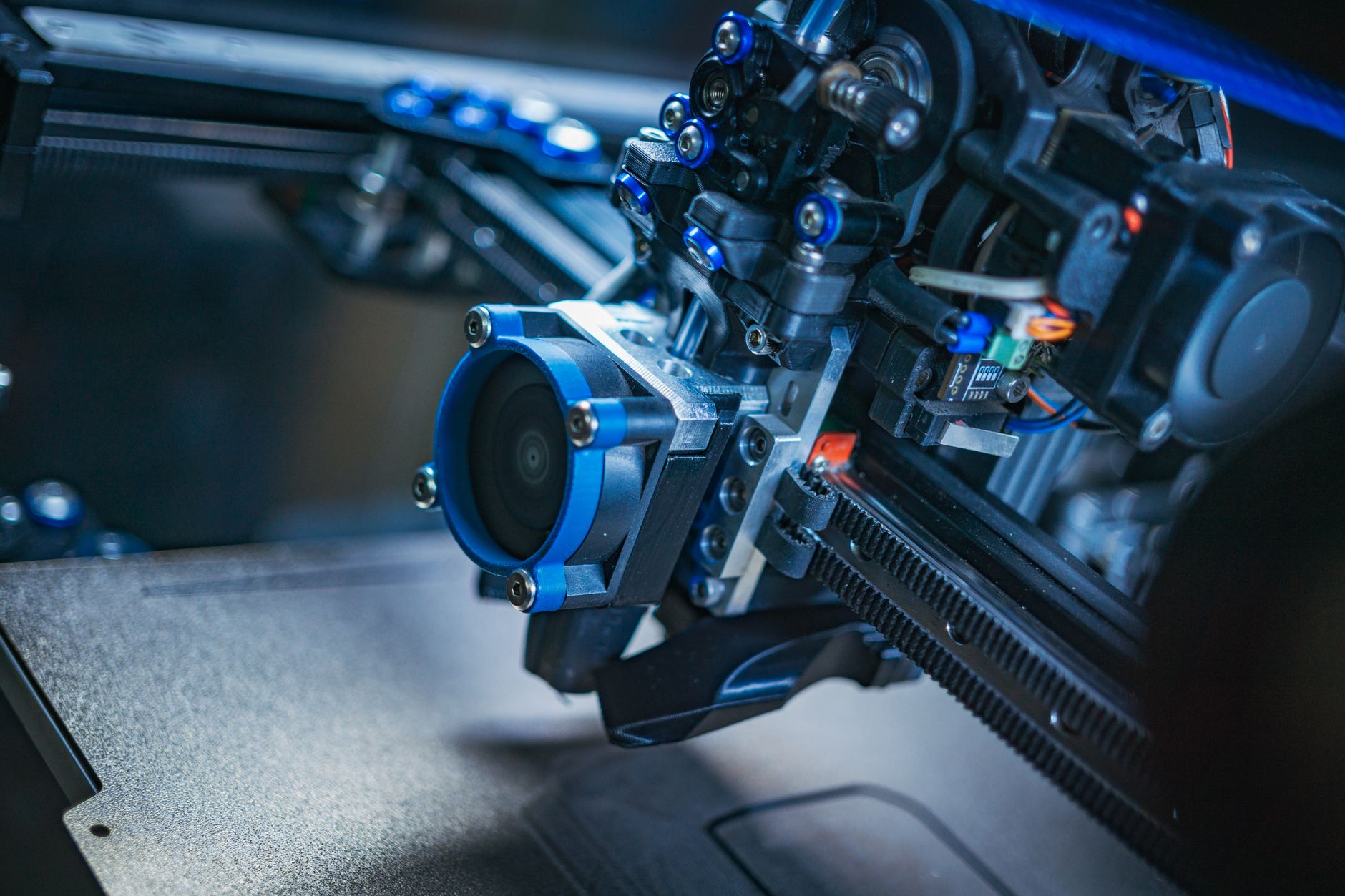
The core Bambu Lab H2D is the configuration to pick if you want two nozzles and no laser module. It ships with a 350 x 320 x 325 mm build volume, a max speed of 1000 mm/s, and 20,000 mm/s² acceleration. The hotends reach 320°C, the bed hits 120°C, and the chamber can hold 65°C for engineering filaments. Those numbers come straight from Bambu Lab’s official H2D spec page. For a maker moving up from a 220 x 220 x 250 mm bed, the extra space changes what you can print in one piece.
Two independent nozzles let you assign one for model material and one for support. That means breakaway or soluble supports without the purge tower waste of a single-nozzle AMS swap. It also lets you run two colors or two materials in one print. The tradeoff is calibration. You need to align the nozzles and set Z offsets correctly. If you print mostly one color and one material, the dual nozzle is extra complexity you may not need. Read our PLA vs PETG vs ABS comparison before you commit to a multi-material workflow.
The H2D is not a beginner printer. It is big, heavy, and expensive compared with an A1 or P1S. The dual nozzle also needs more maintenance: cleaning both hotends, checking PTFE paths, and keeping the nozzle wiper working. For a small workshop that prints functional parts in PA-CF, PC, or ASA, the chamber and dual nozzle justify the effort. For a hobbyist who prints PLA figurines on weekends, a simpler machine will be less frustrating. Check the Bambu Lab H2D on Amazon.
Key strengths:
- ✅ Dual nozzles allow dedicated support material and two-color prints with less purge waste.
- ✅ Large 350 x 320 x 325 mm build volume fits helmets, brackets, and large prototypes.
- ✅ High-temperature hotends and a heated chamber support PA, PC, and ASA filaments.
- ✅ Fast motion system with 1000 mm/s max speed and 20,000 mm/s² acceleration.
- ✅ Works with the AMS 2 Pro if you add it later.
- ❌ Costs significantly more than a single-nozzle enclosed printer.
- ❌ Dual-nozzle calibration and maintenance add time to setup.
- ❌ No laser module, so you cannot engrave or cut wood and acrylic.
Who it’s for: Choose the dual-nozzle core if you need large, strong, multi-material FDM parts and do not care about laser work.
2. Bambu Lab H2D with AMS 2 Pro , Best for multi-color printing with active filament drying
Adding the AMS 2 Pro turns the H2D into a four-spool multi-color system. The AMS 2 Pro holds four 1 kg spools, reads Bambu RFID tags, and actively dries filament at up to 65°C. That drying matters for PETG, TPU, and nylon, which absorb moisture and print poorly when wet. A dry box that also feeds the printer removes a separate step from your workflow. Our filament storage guide explains why humidity control is not optional for engineering materials.
The AMS 2 Pro is not just a color changer. It can switch between four materials in one print, which is useful for PLA supports under PETG, or for printing dissolvable interfaces. The unit also keeps spools sealed when not in use, so you can leave filament loaded between projects. The H2D firmware handles filament runout, auto-refill, and color switching. A single AMS 2 Pro gives you four slots. Two units give you eight slots.
The downside is cost and footprint. The AMS 2 Pro adds a box on top or beside the printer, and it needs power and PTFE tubing. It also limits you to 1 kg spools unless you modify the holder. For makers who print one color at a time, the AMS 2 Pro is a convenience, not a necessity. For anyone selling multi-color prints, it pays for itself in reduced manual swaps and failed wet-filament prints. Check the Bambu Lab H2D with AMS 2 Pro on Amazon.
Key strengths:
- ✅ Holds four spools with RFID recognition and auto-switching.
- ✅ Active drying up to 65°C keeps PETG, TPU, and nylon print-ready.
- ✅ Enables multi-color and multi-material prints without manual spool changes.
- ✅ Sealed storage reduces dust and moisture between prints.
- ✅ Can stack a second AMS 2 Pro for eight material slots.
- ❌ Adds a significant amount to the total printer cost.
- ❌ Takes up extra bench or shelf space with tubing and power cables.
- ❌ Standard holders work best with 1 kg spools, not large 2 kg rolls.
Who it’s for: Pick the AMS 2 Pro bundle if you print multiple colors or engineering filaments that need dry storage.
3. Bambu Lab H2D Laser Edition 10W , Best for light engraving, scoring, and thin material cutting
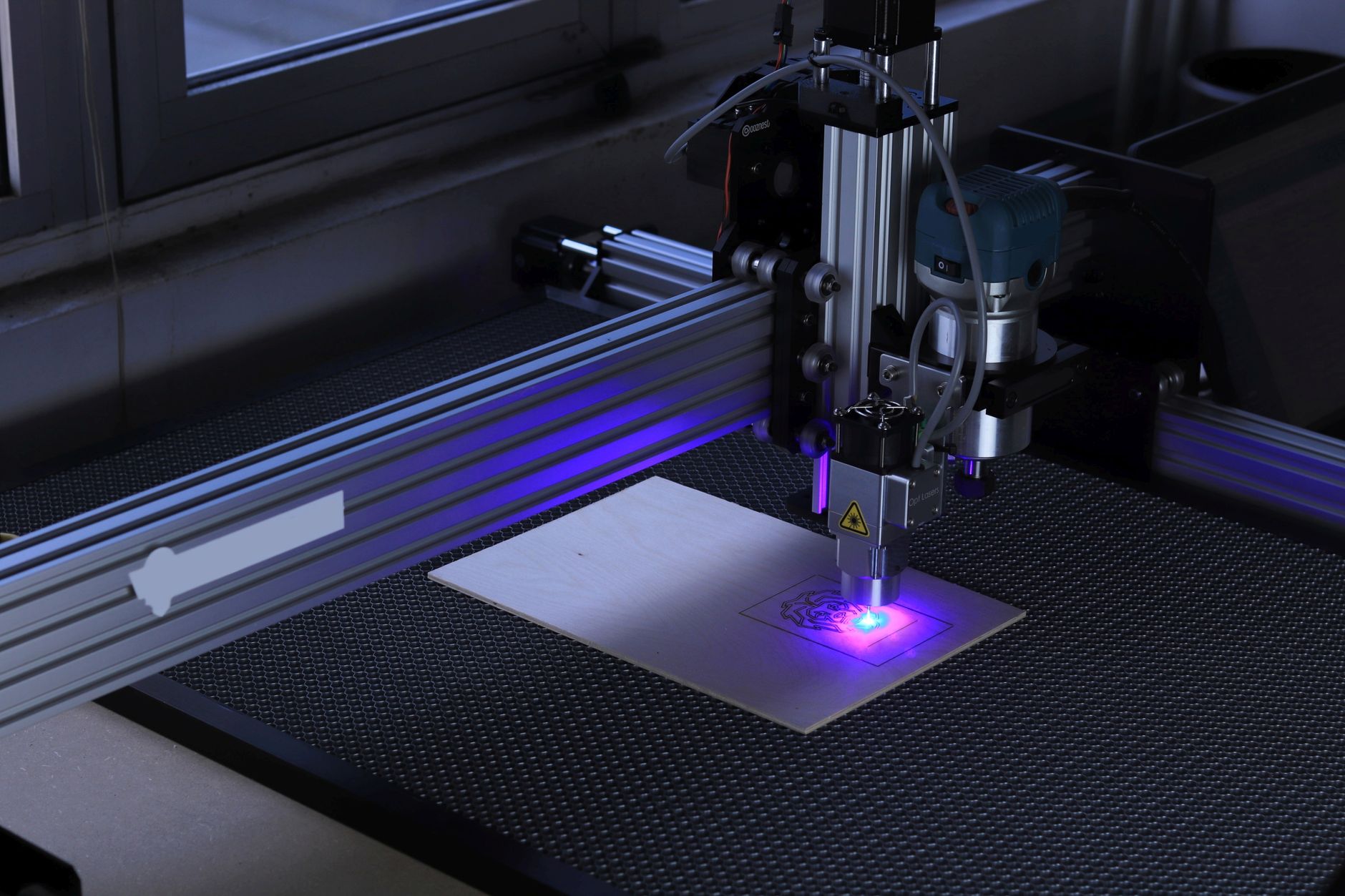
The 10W laser module turns the H2D into a hybrid machine. It can engrave wood, leather, cardboard, and anodized aluminum, and it can cut thin plywood, paper, and some acrylic. The laser area is smaller than the FDM build volume, so you work within roughly a 300 x 300 mm zone. The module swaps in place of the toolhead, and the printer uses the same motion system and enclosure. Bambu Lab sells the 10W version as the lower-cost entry into laser work. Check the Bambu Lab H2D Laser 10W on Amazon.
A 10W diode laser is not a metal cutter. It will mark stainless steel with a coating, but it will not cut sheet metal. It cuts 3 mm basswood plywood in several passes, and it engraves detailed logos on cutting boards. The enclosed design keeps the beam contained, and the optional air assist and filter reduce smoke. You still need ventilation. Laser cutting produces fumes and fine char, and you should never run it unattended. Our 3D printing post-processing guide covers sanding, painting, and finishing for parts that come off the FDM side.
The 10W laser is the right pick for a workshop that mostly prints and occasionally engraves. It is slower and less powerful than the 40W module, so thick cuts take more passes. If you plan to cut 6 mm plywood all day, the 10W will frustrate you. If you want to add names to gifts, score leather, or cut paper templates, it is enough. Remember that laser mode and FDM mode share one machine, so you cannot run both at once.
Key strengths:
- ✅ Adds engraving and cutting without buying a separate laser machine.
- ✅ Enclosed beam and filter options make home workshop use safer.
- ✅ Works on wood, leather, paper, cardboard, and coated metal.
- ✅ Uses the H2D motion system for precise, repeatable patterns.
- ✅ Lower cost than the 40W laser edition.
- ❌ Cannot cut thick wood, acrylic, or metal.
- ❌ Requires ventilation and never-unattended operation.
- ❌ Laser area is smaller than the FDM build volume.
Who it’s for: Get the 10W laser if you want occasional engraving and thin cutting alongside your 3D printing.
4. Bambu Lab H2D Laser Edition 40W , Best for serious laser cutting and deep engraving
The 40W laser module is the one to choose if laser work is a real part of your business. It cuts thicker plywood, acrylic, and leather in fewer passes, and it engraves deeper and faster than the 10W. The H2D still uses the same 350 x 320 x 325 mm FDM build volume, but the laser work area stays around 300 x 300 mm. The 40W module produces more heat, so the enclosure, air assist, and filtration matter even more. Bambu Lab lists the 40W as the top laser option for the H2D platform.
With 40W, you can cut 6 mm plywood in one or two passes, and you can cut acrylic up to about 5 mm depending on color and power settings. That opens up product work: signage, jewelry, architectural models, and custom boxes. The speed increase also matters for engraving large panels. A 10W module might take hours to fill a 300 x 300 mm area with a dense pattern. The 40W can do it in a fraction of the time.
The cons are price, safety, and fumes. The 40W module costs much more, and it needs a proper exhaust path. You should not run it in a bedroom or unventilated garage. It also adds weight to the toolhead, though the H2D motion system is built for it. For a business that sells laser-cut goods, the 40W pays for itself faster. For a hobbyist who mainly prints, the 10W or no laser is the smarter buy.
Key strengths:
- ✅ Cuts 6 mm plywood and acrylic in fewer passes than the 10W.
- ✅ Engraves large panels much faster, which matters for production.
- ✅ Still uses the same enclosed H2D frame and safety features.
- ✅ Good fit for signage, architectural models, and product prototyping.
- ✅ Can switch back to dual-nozzle FDM printing when needed.
- ❌ Highest cost of any H2D configuration.
- ❌ Requires strong ventilation and a fire-safe workspace.
- ❌ Laser area remains smaller than the FDM build volume.
Who it’s for: Choose the 40W laser if laser cutting and engraving are core to your workshop or business.
5. Bambu Lab H2D with Dual AMS 2 Pro , Best for high-volume multi-color production
Two AMS 2 Pro units give the H2D eight spools of material. That is enough for a full color palette plus support material and a spare roll of the main filament. The printer can auto-switch to a backup spool when one runs out, so long prints do not fail at hour 20. Both units dry filament, which keeps every spool in the chain ready to print. For a print farm or a shop that sells multi-color parts, this is the configuration that reduces babysitting.
The H2D handles two AMS 2 Pro units through its filament hub. Each unit has its own drying heater and humidity sensor. You can load PLA, PETG, ABS, and TPU in different slots and assign them in the slicer. The system tracks filament use and warns you when a spool is low. It also keeps partial spools sealed, which is better than leaving them on an open rack. A good filament choice matters here, so pick spools that work well with the AMS.
The obvious downside is cost and space. Two AMS 2 Pro units plus the H2D take up a lot of bench area, and you need to route eight PTFE tubes without kinks. Setup takes longer, and every new filament needs to be loaded and profiled. If you print one or two colors, a single AMS 2 Pro is plenty. If you run a business that ships custom multi-color products, the dual AMS setup cuts labor and failed prints.
Key strengths:
- ✅ Eight spools loaded and ready, with auto-switch for runout.
- ✅ Two drying units keep more materials print-ready.
- ✅ Reduces manual spool changes on long production runs.
- ✅ Lets you keep dedicated support and color materials loaded.
- ✅ Works with the same H2D dual-nozzle platform.
- ❌ Highest accessory cost and the most bench space.
- ❌ More tubing and setup steps create more places for user error.
- ❌ Overkill for makers who print one color at a time.
Who it’s for: Pick dual AMS 2 Pro if you run multi-color jobs at volume and want fewer manual swaps.
Frequently Asked Questions
Does the Bambu Lab H2D have two nozzles?
Yes. The H2D uses a dual-nozzle toolhead. Each nozzle can print a different material or color. That reduces purge waste compared with a single-nozzle multi-material system.
What is the build volume of the Bambu Lab H2D?
The FDM build volume is 350 x 320 x 325 mm. The laser work area is smaller, around 300 x 300 mm depending on the module.
Can the H2D laser module cut metal?
No. The diode laser can mark coated metal and engrave some surfaces, but it cannot cut sheet metal. It cuts wood, acrylic, leather, paper, and similar materials.
Is the AMS 2 Pro worth it?
If you print multiple colors or use moisture-sensitive filaments, yes. The AMS 2 Pro holds four spools and dries them. If you print one material at a time, a single spool holder is cheaper and simpler.
How fast does the Bambu Lab H2D print?
Bambu Lab rates the H2D at up to 1000 mm/s with 20,000 mm/s² acceleration. Real print speed depends on material, layer height, and part geometry. Most functional prints run far below the maximum.
Can you use the H2D laser and 3D printing at the same time?
No. The laser module and the dual-nozzle toolhead share the same motion system. You install one at a time. Switching between modes takes a few minutes and should include cleaning the work area.
What Should You Remember?
- Dual nozzle first: The H2D’s two extruders are the main reason to buy it for multi-material FDM work.
- AMS 2 Pro adds drying: Four spools with active heat and sealed storage beat a passive filament rack.
- 10W laser is entry level: It engraves and cuts thin stock, but it cannot cut thick wood or metal.
- 40W laser is production grade: It cuts 6 mm plywood and acrylic faster and handles larger jobs.
- Build volume is large: The 350 x 320 x 325 mm FDM area fits helmets, brackets, and big prototypes.
- Temperatures matter: 320°C nozzles, a 120°C bed, and a 65°C chamber open the door to PA, PC, and ASA.
- Budget for accessories: AMS units, laser modules, filters, and ventilation add real cost beyond the printer.
This article is for general information only. Always follow your printer manufacturer’s guidelines and material safety data sheets (MSDS) for safe operation.