P2S is one of the most common typos in 3D printing. It usually means the Bambu Lab P1S, the enclosed CoreXY printer that has dominated mid-range recommendations since launch. Instead of ignoring the search, we built this comparison around the P1S and four of its closest rivals. The goal is to help you decide which printer actually fits your workshop, budget, and material needs. Before buying anything, take a look at our best 3D printers 2026 roundup. That list covers category winners you should know before spending $300 to $1,000. These five machines are the ones we believe matter most.
Enclosed CoreXY machines are no longer niche. They print fast, keep ABS and ASA from warping, and fit on a desk better than a large Cartesian bedslinger. In 2026, speeds above 500mm/s are common, but speed alone does not make a good printer. You need stable motion, a decent hot end, and software that does not waste your time. Our best enclosed 3D printers guide goes deeper on chamber heating and filtration. This article focuses on the P2S search and the five machines most buyers compare when shopping for a first or second enclosed printer. The goal is to save you from buying a machine that is fast but unreliable.
We compared these printers using manufacturer specs, real-world print speeds, and build volume. Price matters, but so does repairability. A $329 printer that breaks in six months is not cheaper than a $799 printer that runs for years. We also considered multi-material support, enclosure quality, and community documentation. If you mainly want speed, see our fastest 3D printers article. New makers should start with a simpler machine and work up. This list is built for makers who want reliable prints, not spec-sheet bragging rights.
Material compatibility drives many of these decisions. The P1S, K1 Max, X-Smart 3, and Adventurer 5M Pro all have enclosures, so they handle ABS, ASA, and nylon better than an open-frame Prusa MK4. Your filament choice matters as much as the printer. Simplify3D’s materials reference lists nozzle and bed temperatures for everything from PLA to polycarbonate. If you are still deciding between materials, our PLA vs PETG vs ABS guide breaks down the tradeoffs. Match the material to the enclosure and you avoid most failed prints. This comparison includes enough data points to make that call.
How Do the Top Options Compare?
| Printer | Best For | Build Volume | Max Speed | Price |
|---|---|---|---|---|
| Bambu Lab P1S | Fast enclosed multi-material | 256 x 256 x 256 mm | 500 mm/s | Check price |
| Prusa MK4 / MK4S | Open-source reliability | 250 x 210 x 220 mm | 200 mm/s | Check price |
| Creality K1 Max | Large high-speed builds | 300 x 300 x 300 mm | 600 mm/s | Check price |
| QIDI Tech X-Smart 3 | Budget enclosed CoreXY | 175 x 180 x 170 mm | 500 mm/s | Check price |
| Flashforge Adventurer 5M Pro | User-friendly enclosed | 220 x 220 x 220 mm | 600 mm/s | Check price |
Prices are approximate street prices in 2026 and may vary. Amazon links are affiliate links. Print speeds are manufacturer-rated maximums, not real-world settings.
1. Bambu Lab P1S , Best for fast, enclosed multi-material printing
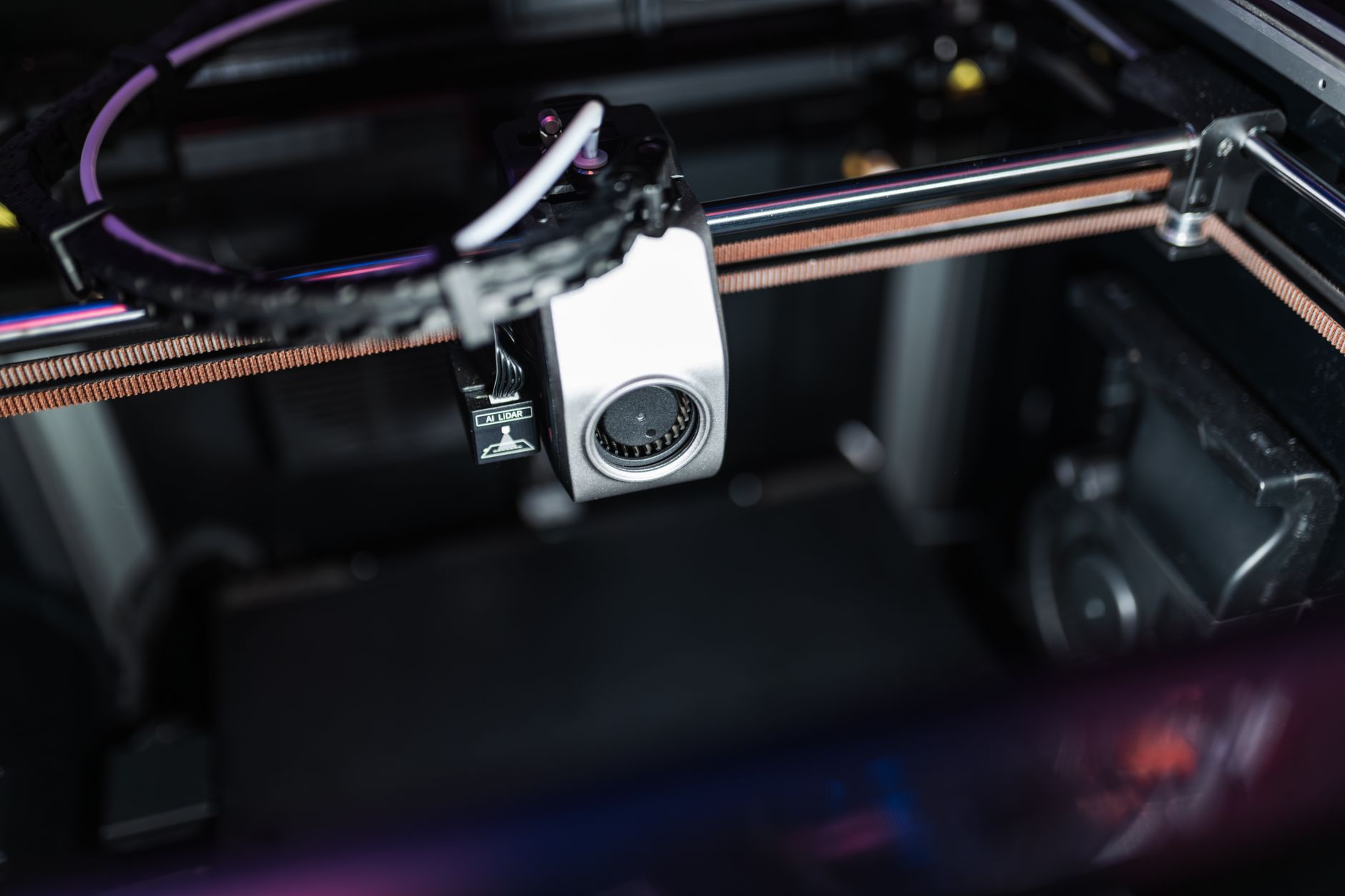
Many P2S searches lead to the Bambu Lab P1S, an enclosed CoreXY printer with a 256 x 256 x 256mm build volume and 500mm/s peak speed. That enclosure is not a luxury; it lets you print ABS, ASA, and nylon without warping. Bambu’s official specs list 300°C nozzle and 110°C bed temps, enough for engineering materials.
Out of the box, the P1S auto-calibrates, vibration compensates, and prints consistently fast. Pair it with the AMS unit and you can run four colors or materials without manual swaps. The CoreXY motion system is tight. Print quality on a 0.4mm nozzle stays clean at 0.08mm layer resolution. Check the Bambu Lab P1S on Amazon.
Downsides are real. The P1S is loud during fast travel moves. Replacement parts are mostly proprietary, and the cloud app sometimes gets in the way. If you want total control or a printer you can rebuild forever, think twice. For most speed-focused makers, it is the benchmark. At around $699, it is not cheap, but it delivers speed and enclosure in one package. Check our best 3D printer filament guide to match materials.
Key strengths:
- ✅ Fast 500mm/s peak print speed with 20,000mm/s² acceleration
- ✅ Fully enclosed 256 x 256 x 256mm build chamber for ABS and ASA
- ✅ Optional AMS unit enables four-color multi-material printing
- ✅ Reliable auto bed leveling and vibration compensation
- ❌ Loud, especially during fast travel moves
- ❌ Cloud software and proprietary parts limit full local control
- ❌ Nozzle swaps are more involved than on Prusa
Who it’s for: Choose the P1S if you want a fast enclosed printer with great out-of-box quality and optional multi-material.
2. Prusa MK4 / MK4S , Best for open-source reliability and repairability
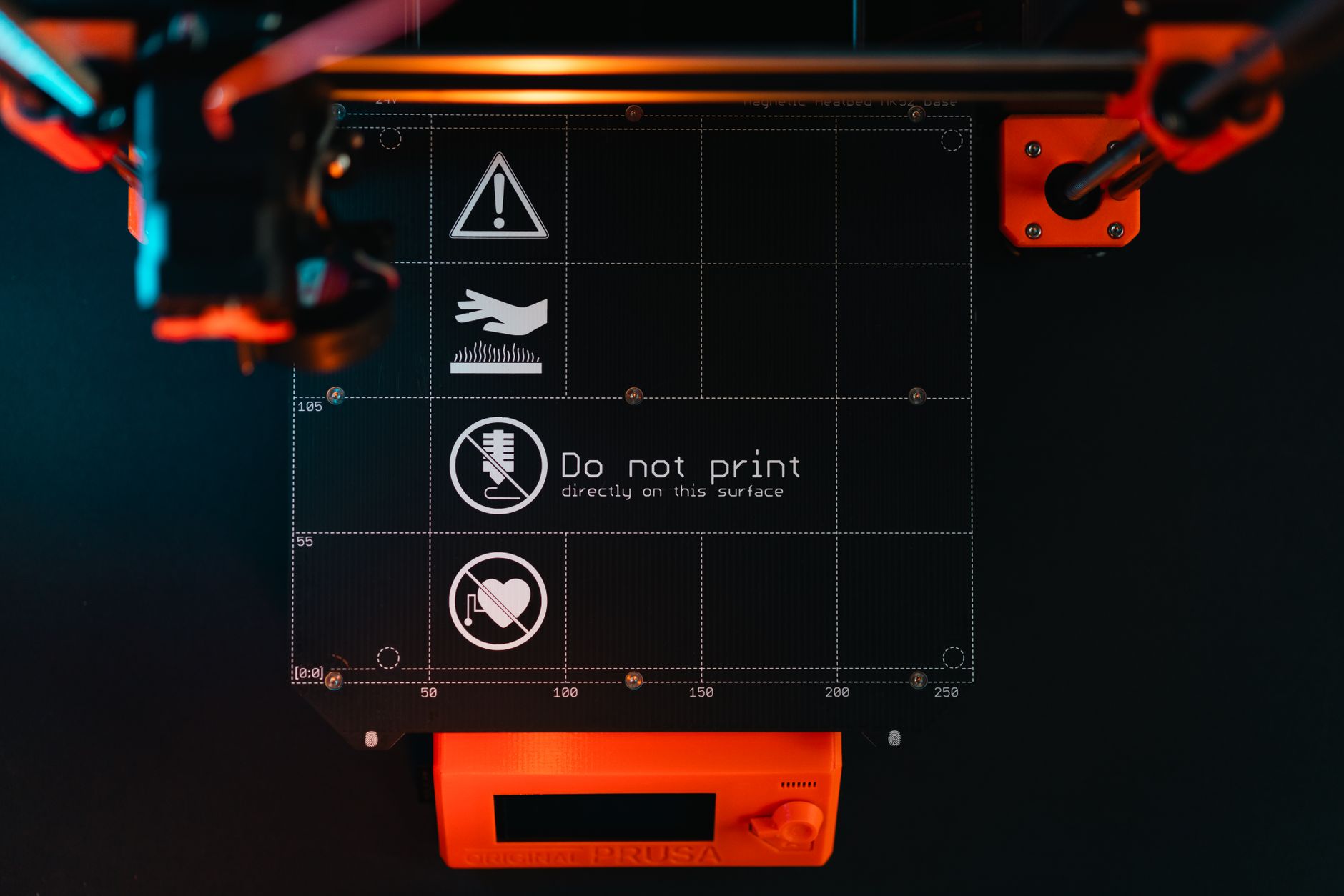
Prusa’s MK4 / MK4S is the open-source counterweight. The build volume is 250 x 210 x 220mm, smaller than the P1S but still plenty for most parts. Prusa’s official page lists 200mm/s max speed with Input Shaper, which is slower than Bambu but produces exceptionally clean walls. The direct-drive extruder, load cell bed probing, and swappable nozzles make it a workshop workhorse. Check the Prusa MK4 on Amazon.
Repairability is unmatched. Every bracket, board, and printed part is replaceable with off-the-shelf components. Prusa publishes full assembly guides and firmware. The MK4 can be bought as a $799 kit or $1,099 assembled. The kit takes a weekend but teaches you how the machine works.
The downside is the lack of an enclosure. Printing ABS or ASA requires an aftermarket enclosure, and even PETG can warp in a drafty room. It is also slower than the P1S. But if you value ownership and reliability over peak speed, the MK4 is the better long-term machine. See our 3D printer maintenance guide for keeping it dialed in.
Key strengths:
- ✅ Open-source hardware and firmware with full repair guides
- ✅ Load cell bed probing works on any build surface
- ✅ 200mm/s Input Shaper speed produces very clean prints
- ✅ Upgrade path from older Prusa i3 models
- ❌ No enclosure for ABS or ASA out of the box
- ❌ Build volume and speed are smaller than CoreXY rivals
- ❌ Kit assembly takes time and patience
Who it’s for: Choose the MK4 if you want a repairable, open printer that will still be serviceable in five years.
3. Creality K1 Max , Best for large high-speed prints
Creality’s K1 Max jumps to a 300 x 300 x 300mm build volume, a full 44mm wider and taller than the P1S. Peak speed is 600mm/s, and the enclosed CoreXY frame handles high-speed printing without shaking itself apart. A built-in LiDAR sensor checks the first layer and calibrates flow. Check the Creality K1 Max on Amazon.
At around $899, the K1 Max undercuts many large enclosed printers. The hot end reaches 300°C, so ABS, ASA, and even some filled nylons print fine. The chamber heats passively from the bed, which works but takes longer than actively heated chambers.
Creality quality control is uneven. Some units arrive with loose belts or warped beds, and the Klipper-based firmware is locked down. The stock slicer is also less flexible than OrcaSlicer or PrusaSlicer. Still, for large functional parts, it is hard to beat.
Key strengths:
- ✅ Large 300 x 300 x 300mm build volume for big parts
- ✅ 600mm/s peak speed with LiDAR first-layer scan
- ✅ Enclosed chamber and 300°C hot end for engineering materials
- ✅ Competitive price for the build size
- ❌ Quality control can be hit or miss
- ❌ Locked Klipper firmware limits advanced tuning
- ❌ Passive chamber temperature takes time to stabilize
Who it’s for: Choose the K1 Max if you need large high-speed builds and can tune your own hardware.
4. QIDI Tech X-Smart 3 , Best budget enclosed CoreXY
The QIDI Tech X-Smart 3 is the budget entry into enclosed CoreXY printing. Its build volume is 175 x 180 x 170mm, the smallest here. It still hits 500mm/s peak speed and includes Klipper out of the box. A heated chamber, as specced by QIDI, helps with ABS and nylon.
Priced around $329, it undercuts the P1S by more than half. The printer arrives mostly assembled, and the enclosure is sturdy. QIDI’s own slicer works but lacks the polish of OrcaSlicer. The small bed means you will split larger models.
Community support is thin compared to Bambu or Prusa. Replacement parts are available but not everywhere. If your budget is strict and you need an enclosed printer, the X-Smart 3 is a real choice. Pair it with the right filament, and you can get surprisingly good results.
Key strengths:
- ✅ Very low price for an enclosed CoreXY printer
- ✅ 500mm/s peak speed and Klipper firmware
- ✅ Heated chamber helps ABS and nylon print reliably
- ✅ Mostly assembled out of the box
- ❌ Small 175 x 180 x 170mm build volume
- ❌ Thin community and replacement part availability
- ❌ Stock slicer is less refined than OrcaSlicer
Who it’s for: Choose the X-Smart 3 if you need an enclosed printer on a tight budget and can live with a small bed.
5. Flashforge Adventurer 5M Pro , Best user-friendly enclosed printer for beginners
Flashforge designed the Adventurer 5M Pro for users who want a quiet, enclosed printer without endless tuning. The build volume is 220 x 220 x 220mm, and the max speed is 600mm/s. A built-in camera, air filter, and LED lighting make it a good fit for a home office or classroom.
The 280°C nozzle and 110°C bed handle PLA, PETG, ABS, and ASA. Auto bed leveling works well, and the enclosed chamber helps with ABS. Print quality out of the box is excellent, though the Flashforge slicer is more limited than PrusaSlicer or OrcaSlicer.
At around $599, it sits between the P1S and budget options. There is no multi-material upgrade yet, and the proprietary parts and smaller community are real tradeoffs. But for a first enclosed printer, it is foolproof.
Key strengths:
- ✅ Quiet enclosed printing with air filtration
- ✅ 600mm/s peak speed and reliable auto bed leveling
- ✅ Built-in camera and LED lighting
- ✅ Good print quality with PLA, PETG, and ABS
- ❌ No multi-material support for now
- ❌ Flashforge slicer lacks advanced controls
- ❌ Proprietary parts and smaller community
Who it’s for: Choose the Adventurer 5M Pro if you want a quiet, enclosed printer that works well without tinkering.
Frequently Asked Questions
What does P2S mean in 3D printing?
Most people who search P2S actually mean the Bambu Lab P1S. P2S is a common typo for the P1S enclosed CoreXY 3D printer. The Bambu Lab P1S is the closest match for that search.
Is the Bambu Lab P1S worth buying in 2026?
Yes. It offers a 256 x 256 x 256mm build volume, 500mm/s peak speed, an enclosed chamber, and optional AMS multi-material printing for around $699. The Prusa MK4 is the better long-term repairable alternative.
How does the Bambu Lab P1S compare to the P1P?
The P1S is the enclosed version of the P1P. The enclosure lets you print ABS, ASA, and nylon with less warping, making the P1S the better choice for engineering materials.
Which is faster, the Bambu Lab P1S or Prusa MK4?
The Bambu Lab P1S peaks at 500mm/s, while the Prusa MK4 peaks at 200mm/s with Input Shaper. The P1S is faster, but the MK4 can still produce excellent quality at lower speeds.
What materials can the Bambu Lab P1S print?
The P1S reaches a 300°C nozzle and 110°C bed, so it can print PLA, PETG, ABS, ASA, TPU, and some nylons. The enclosed chamber makes ABS and ASA much more consistent.
Do I need an enclosure for ABS?
Yes, ABS and ASA warp and crack without a stable ambient temperature. The Bambu Lab P1S, Creality K1 Max, QIDI X-Smart 3, and Flashforge Adventurer 5M Pro all include enclosures; the Prusa MK4 does not.
What Should You Remember?
- P2S is usually a typo for P1S, the Bambu Lab P1S enclosed CoreXY printer.
- Bambu Lab P1S delivers 500mm/s speed and a 256mm cube build volume for around $699.
- Prusa MK4 remains the best open-source, repairable option, though slower and unenclosed.
- Creality K1 Max is the choice for large parts with a 300mm cube build volume and 600mm/s speed.
- Budget pick: QIDI Tech X-Smart 3 offers an enclosed CoreXY with 500mm/s speed for around $329.
- Beginner pick: Flashforge Adventurer 5M Pro is quiet, enclosed, and reliable at 600mm/s.
- Match your filament to your printer with our materials guide to avoid clogs and warping.
This article is for general information only. Always follow your printer manufacturer’s guidelines and material safety data sheets (MSDS) for safe operation.